Difference Between Kindle Paperwhite and Signature Edition: Full Guide
Amazon has taken e-reading to the next level with its newest models. However, when it comes to the Standard Paperwhite versus the Signature Edition, confusion is inevitable. Both models are 20% faster and feature a large 7-inch display.
But where is the best place to invest your money? Let’s break down both models in detail.
1. Kindle Paperwhite (16GB) – Best for Most Readers
If your primary goal is simply reading books, this model is the absolute best choice.
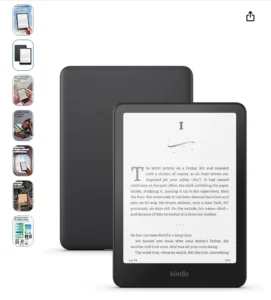
- Fastest Performance: It features the newest processor, making page turns 25% faster.
- Perfect Display: A 7-inch glare-free screen that looks and feels just like real paper.
- Waterproof Design: You can use it at the beach or in the bathtub without any worries.
- USB-C Charging: A modern charging port that delivers up to 12 weeks (3 months) of battery life.
2. Kindle Paperwhite Signature Edition (32GB) – The Premium Experience
The Signature Edition is designed for those who desire extra convenience and premium features. It includes all the features found in the Standard model, plus these 3 additional upgrades:
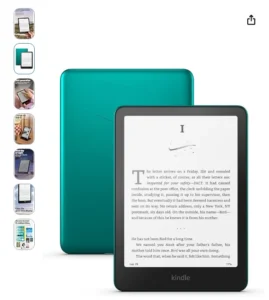
- Double Storage (32GB): If you listen to Audible audiobooks or read comics, this extra storage space is essential for you.
- Auto-Adjusting Light: Its sensor detects ambient light and automatically adjusts the screen brightness. You won’t have to deal with the hassle of constantly changing your settings.
- Wireless Charging: This is the first Kindle to support wireless charging. Simply place it on any Qi-compatible charger to power it up.
Side-by-Side Comparison Table
| Feature | Kindle Paperwhite (16GB) | Signature Edition (32GB) |
| Storage | 16 GB | 32 GB |
| Wireless Charging | No | Yes |
| Auto-Brightness | Manual | Automatic |
| Display Size | 7 Inch (300 ppi) | 7 Inch (300 ppi) |
| Battery Life | Up to 12 Weeks | Up to 12 Weeks |
| Waterproof | Yes (IPX8) | Yes (IPX8) |
Frequently Asked Questions (FAQs)
Q1. Is there any difference in the screen quality of the two models?
No, both models feature the exact same 7-inch glare-free display with a sharpness of 300 ppi. The reading experience is identical on both.
Q2. Is 16GB of storage sufficient?
Yes, if you read only eBooks, 16GB is enough to hold thousands of books. However, if you download audiobooks (Audible), the 32GB Signature Edition would be a better choice.
Q3. Do I need a special wireless charger for the Signature Edition?
No, it works with any standard Qi-compatible wireless charger (the same type used for modern smartphones).
Q4. Are these new models larger than the previous Kindle Paperwhite?
Yes, the previous models featured a 6.8-inch screen, whereas these newest models come with a 7-inch screen, which makes for a more comfortable reading experience.