Kindle Paperwhite vs Signature Edition
If you are considering purchasing a new e-reader, it is only natural to feel confused between Amazon’s two most popular models—the Kindle Paperwhite and the Kindle Paperwhite Signature Edition. Both look identical, feature a 6.8-inch screen, and are waterproof.
However, are the features you get for the extra money you pay for the Signature Edition truly worth it? In this article, we will conduct an in-depth comparison of the two to help you make the right decision.
Quick Comparison
| Feature | Kindle Paperwhite (16GB) | Kindle Paperwhite Signature Edition |
| Display | 7″ glare-free (300 ppi) | 7″ glare-free (300 ppi) |
| Storage | 16 GB | 32 GB |
| Wireless Charging | NO | Yes (Qi Support) |
| Auto-Brightness | Manual | Automatic Sensor |
| Ads | Lockscreen Ads (Optional) | No Ads |
| Price | Check Price on Amazon | Check Price on Amazon |
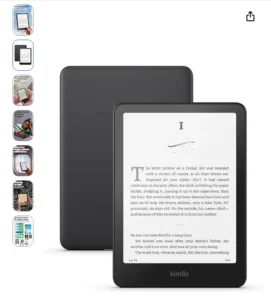
Kindle Paperwhite (Standard): Value-for-Money Choice
The Standard Paperwhite is ideal for those who simply want to read books in peace and aren’t interested in unnecessary “bells and whistles.”
Pros:
- Crisp Display: The 300 ppi screen looks and feels just like real paper.
- Adjustable Warm Light: You can switch the screen to an amber (yellowish) tone for nighttime reading to reduce eye strain.
- Battery Life: Lasts up to 10 weeks on a single charge.
- Waterproof: You can read without worry while sitting in a swimming pool or bathtub.
Cons:
- Brightness must be adjusted manually.
- Charges via USB-C only (No wireless charging).
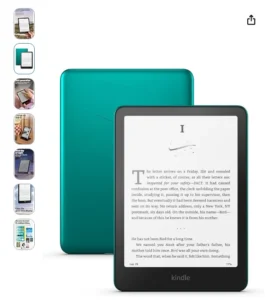
Kindle Paperwhite Signature Edition: A Premium Experience
The Signature Edition is designed for “power users” who refuse to compromise on their reading experience. It offers four key advantages compared to the standard model:
1. No Ads (Out of the Box):
The standard Kindle is often more affordable because it displays Amazon advertisements on its lock screen. You typically have to pay an extra fee later to remove these ads. However, the Signature Edition comes “ad-free” by default, meaning you enjoy a clean, premium interface—completely free of distractions—right from the start.
2. Auto-Adjusting Light Sensor:
Much like on your smartphone, this sensor automatically adjusts the screen brightness based on the ambient lighting in the room. If you read in various environments throughout the day—whether in bright sunlight, indoors, or in the dark—this feature proves incredibly useful.
3. 32GB Storage:
If you read only standard eBooks, 16GB of storage is sufficient to hold over 10,000 titles. However, if you are an avid user of Audible (audiobooks) or enjoy reading comics and manga, the Signature Edition’s 32GB of storage is essential, as audio files and high-resolution images consume significantly more storage space.
4. Wireless Charging:
To utilize this feature, you simply need any standard Qi-compatible wireless charger. Just place your Kindle on the charging stand, and it will begin charging automatically—eliminating the hassle of constantly searching for a charging cable.
Which Model Is Right for You?
You should get the Kindle Paperwhite (16GB) if:
- Your budget is a bit tight.
- You don’t listen to many audiobooks and primarily read text-based books.
- You don’t mind manually adjusting the brightness.
You should get the Signature Edition if:
- You want an ad-free experience (the Signature Edition is ad-free by default).
- You have a large collection of comics or audiobooks.
- You dislike constantly plugging in cables and prefer wireless charging.
Final Verdict
In my opinion, if you are a serious reader who reads day and night, the Signature Edition‘s auto-brightness and ad-free screen justify the extra cost of ₹3,000. However, if you are only an occasional reader, there is no better deal than the standard Paperwhite.